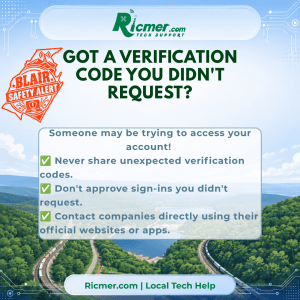
Your phone buzzes with a text message containing a six-digit verification code.
A few moments later, someone calls or messages you, asking for that code.
They might claim to be from your bank, Microsoft, Google, or another company you recognize.
Don’t give it to them!
Why Are They Asking for the Code?
Verification codes are an extra layer of security designed to help protect your accounts.
Scammers sometimes obtain a password or attempt to reset an account. But if the account requires a verification code, they still need that code to get in.
That’s where the scam comes in.
They may pretend to be customer support, claim there’s suspicious activity, or tell you the code was sent by mistake.
Their goal is to convince you to give them the final piece they need.
Warning Signs
Be suspicious when someone:
- Calls or texts asking you to read them a verification code.
- Claims they need the code to cancel a fraudulent transaction.
- Pressures you to act immediately.
- Says the code was sent accidentally and asks you to forward it.
- Asks you to approve a sign-in request you didn’t initiate.
What Should You Do?
1. Never share an unexpected verification code. Don’t read it aloud, text it, or forward it to someone contacting you.
2. Don’t approve unfamiliar sign-in requests. If you didn’t try to sign in, deny the request.
3. Contact the company directly. Use its official app, website, or a phone number you already trust.
4. Secure your account if necessary. If you receive unexpected codes repeatedly, review your account activity and security settings.
Ricmer Quick Take
That verification code is meant for you, not the person calling you.
Even if someone knows your name, email address, or other personal information, that doesn’t prove they’re legitimate.
If you didn’t request the code, don’t share it.
Need Local Help?
Ricmer Tech Support can help you review account security, set up two-factor authentication, and recognize suspicious messages.
Friendly local tech help throughout Blair County.

